planimble.

WORKFLOW LIBRARY

A closer look
at the working day.

From measured walls to a finished report. Follow the steps, inspect the samples and try the workflow in the app.

ON SITE

Draw at the pace of the inspection.
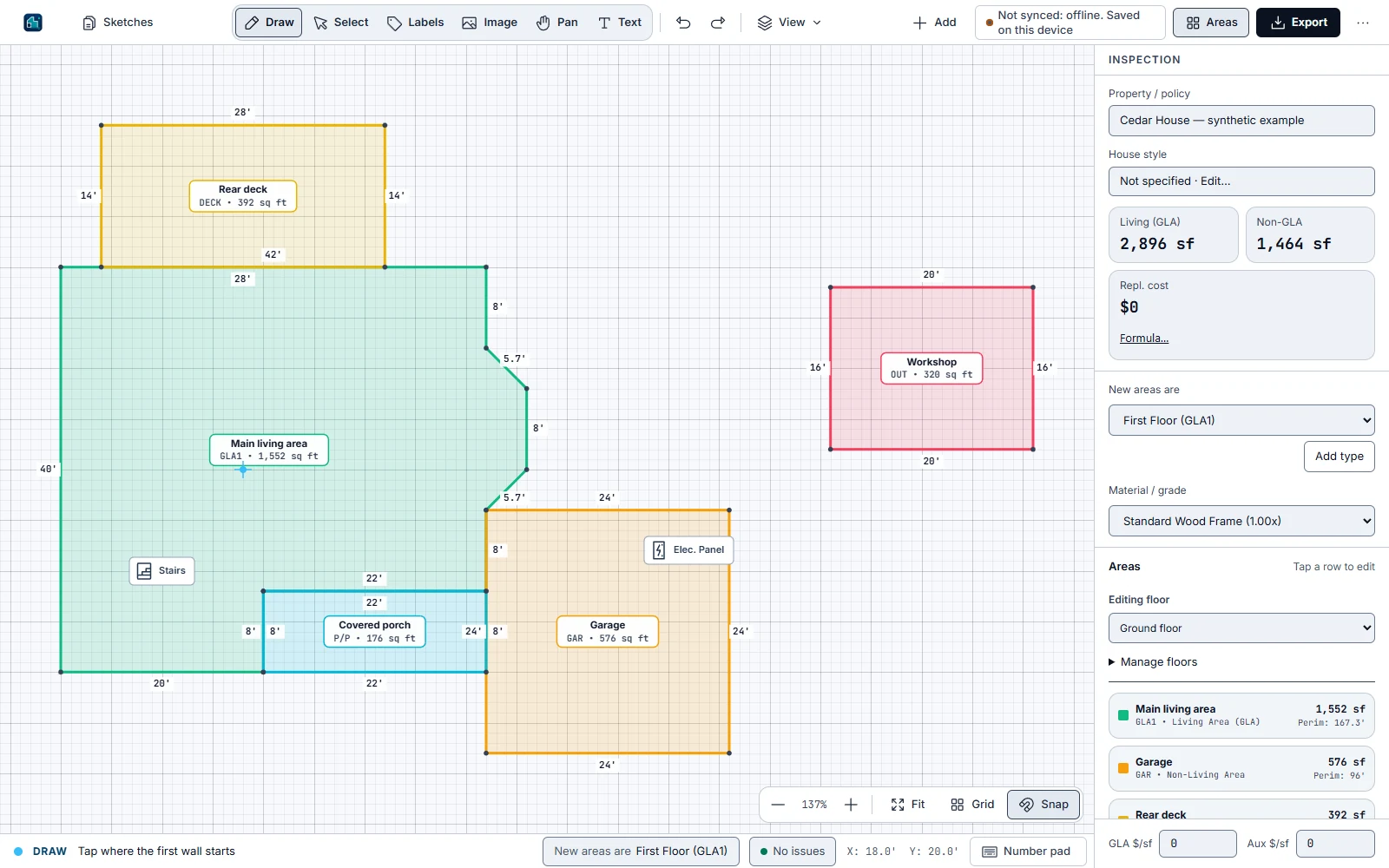
Draw at the pace of the inspection.
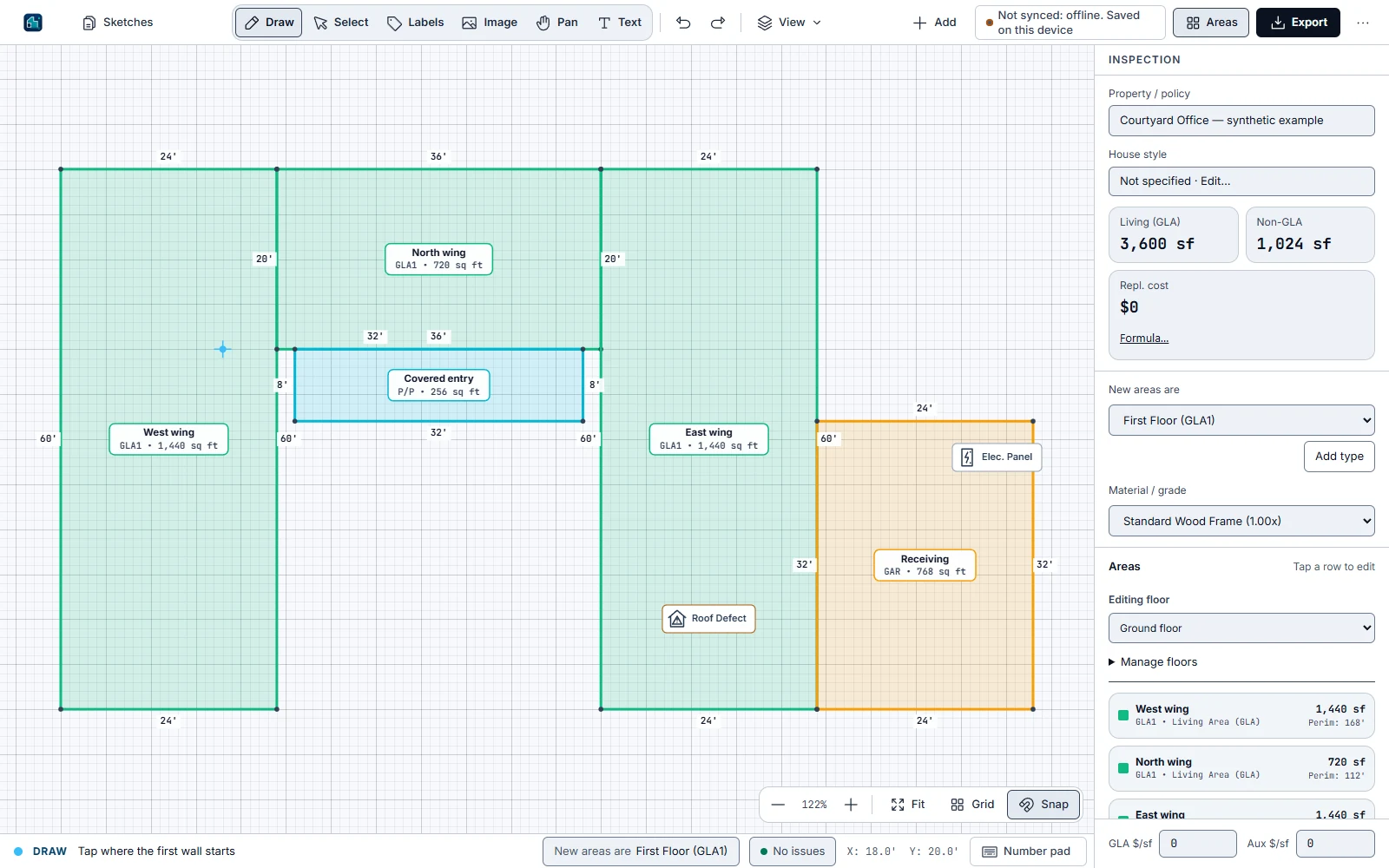
  1. Start a wall and enter its measured length with the keyboard or tablet number pad.
  2. Choose the direction, then continue around the footprint. Angled walls stay part of the same drawing.
  3. Close the area and check the dimensions and calculated totals. Undo a wall whenever you need to.
Explore a sample project

REAL GEOMETRY

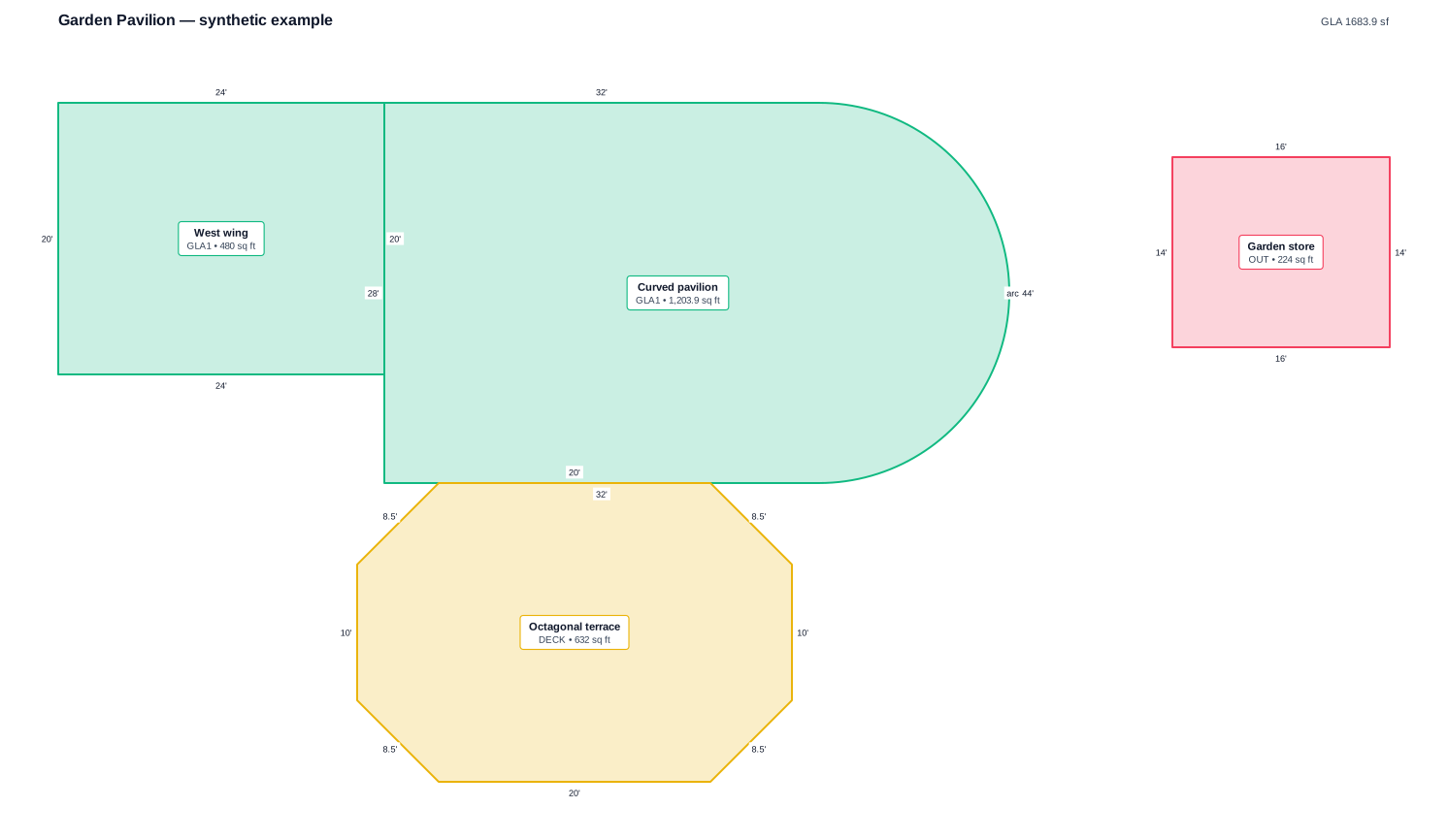
Go beyond the rectangle.

Go beyond the rectangle.
  1. Draw each part of the property with its actual shape, including angled and curved walls.
  2. Give garages, decks and outbuildings their own area classes. Keep upper floors on separate levels.
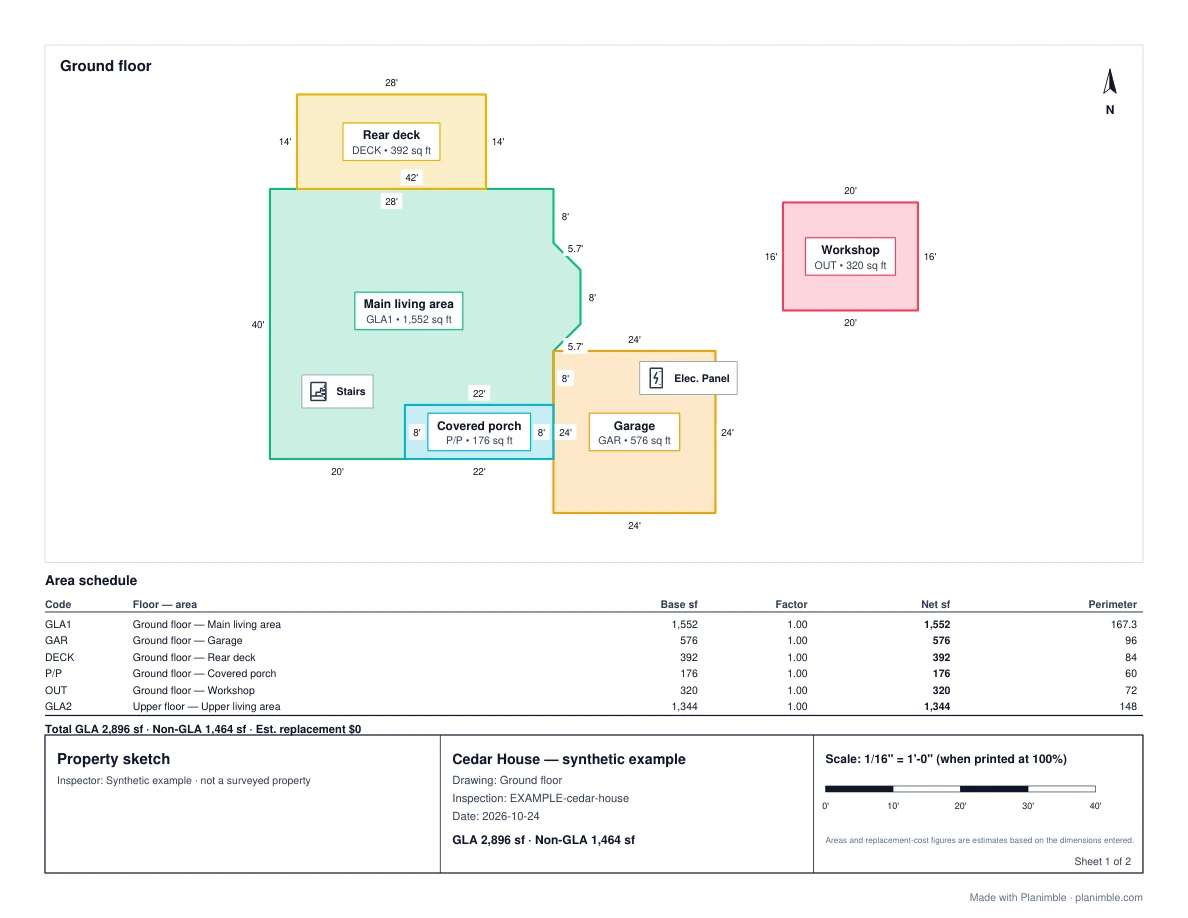
  3. Review the completed geometry, then export a drawing or a report with a sheet for each visible floor.
Explore a sample project

SAY IT / SEE IT

Start with the description.

Start with the description.
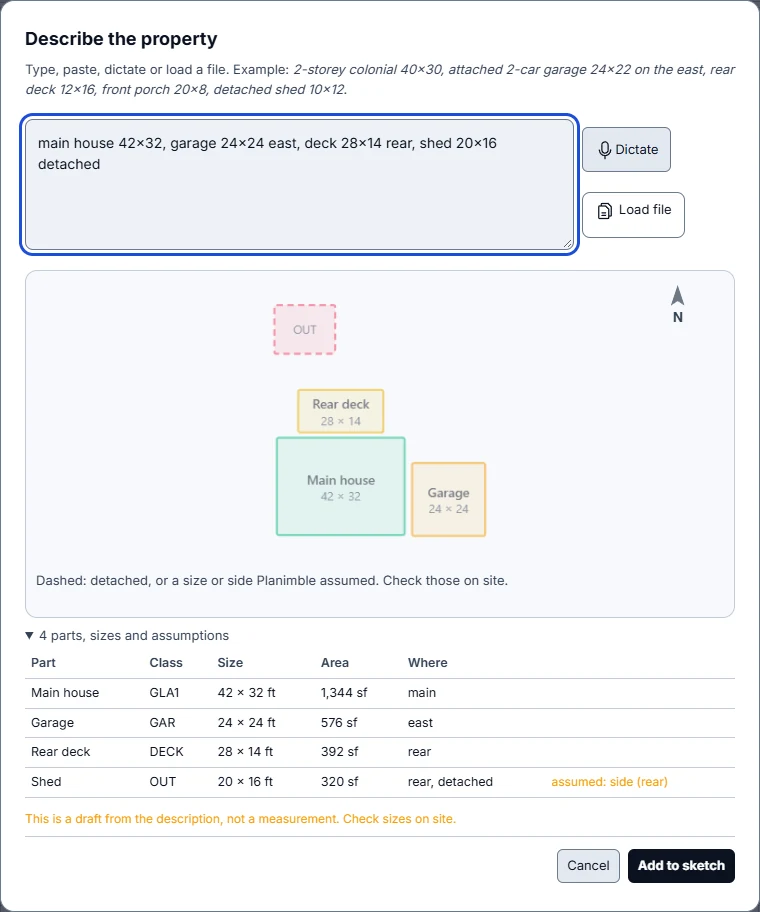
  1. Type or paste a description with dimensions, or dictate using your browser’s speech service.
  2. Review the preview, recognised parts and stated assumptions. The parser works from your description; it does not measure the property.
  3. Add the draft to your sketch, verify the sizes on site and refine the geometry.
Explore a sample project

INSPECTION DETAIL

Put the finding in context.

Put the finding in context.
  1. Add doors, windows and inspection symbols to the relevant part of the drawing.
  2. Use text and field photos to record what you observed and where it belongs.
  3. Review the record before sharing. The drawing supports your professional assessment; it does not make a risk decision for you.
Explore a sample project

THE FINISHED REPORT

Deliver something worth opening.

Deliver something worth opening.
  1. Check area classes, dimensions, property details and the area schedule.
  2. Download the vector PDF. Multi-floor examples use separate report sheets; check the stated print scale.
  3. Use SVG, DXF or PNG for other workflows, and Planimble JSON to retain an editable copy.
Explore a sample project

CONTINUITY

Know where your work stands.

Know where your work stands.
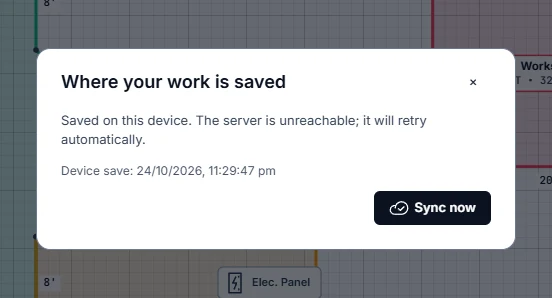
  1. Open the app while connected before heading on site. Local drafts let you continue through a lost connection.
  2. Read the save status: saved on this device is different from synced to the server. Reconnect to sync.
  3. If another revision has changed, review both versions and choose how to resolve them. Version history helps you return to an earlier saved state. Clearing browser storage can remove unsynced drafts.
Explore a sample project

YOUR NEXT INSPECTION

Bring the property
into focus.

Start with five free sketches a month.
No card needed.

Start sketching